
Home
Proof the notice was acknowledged.
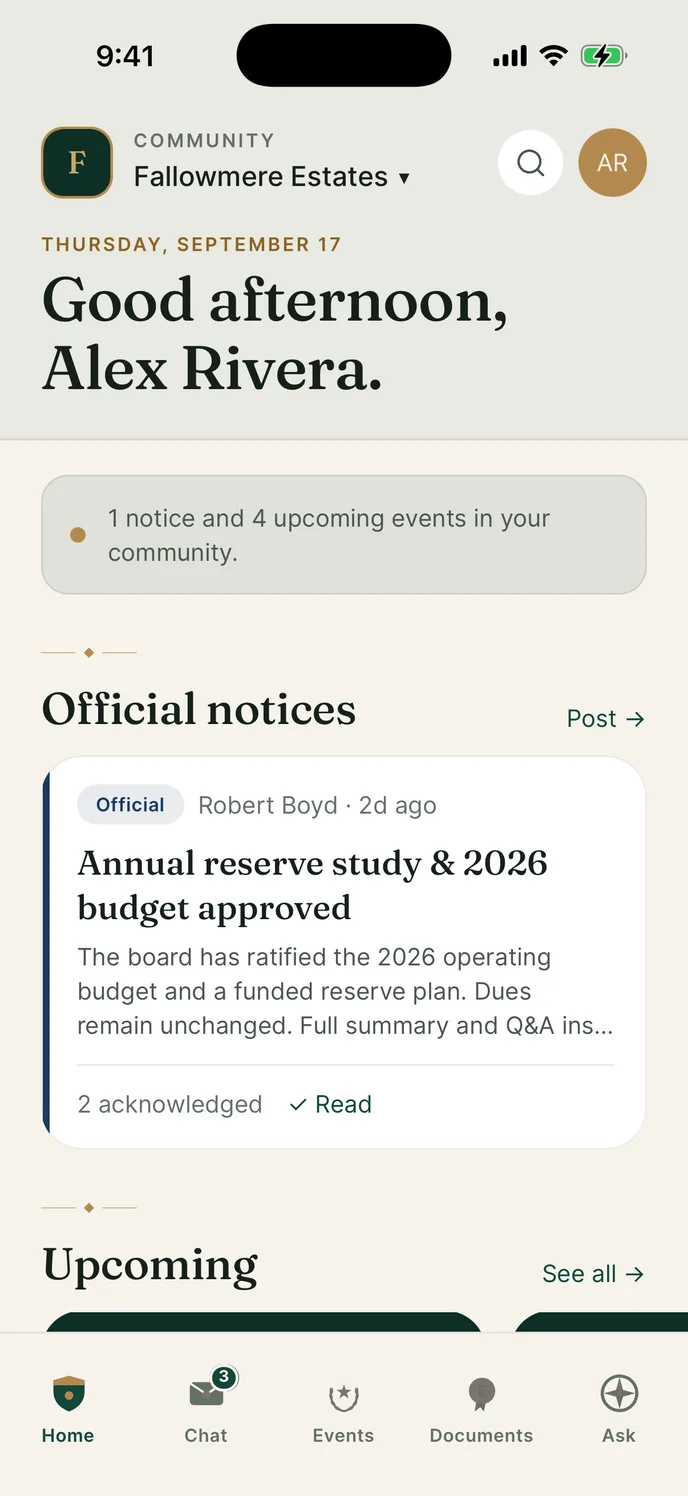
Post an official notice once. Residents tap Acknowledge and the count sits on the card, so you can see who has and who has not.
A private app for your HOA
Post a notice and see who acknowledged it. Keep the rules where people can actually find them. Residents are free, the board pays once.
What it does
Notices, chat, events, minutes and your governing documents, on one phone.
Pick a screen and it opens on the phone.
Home
Post an official notice once. Residents tap Acknowledge and the count sits on the card, so you can see who has and who has not.
Chat
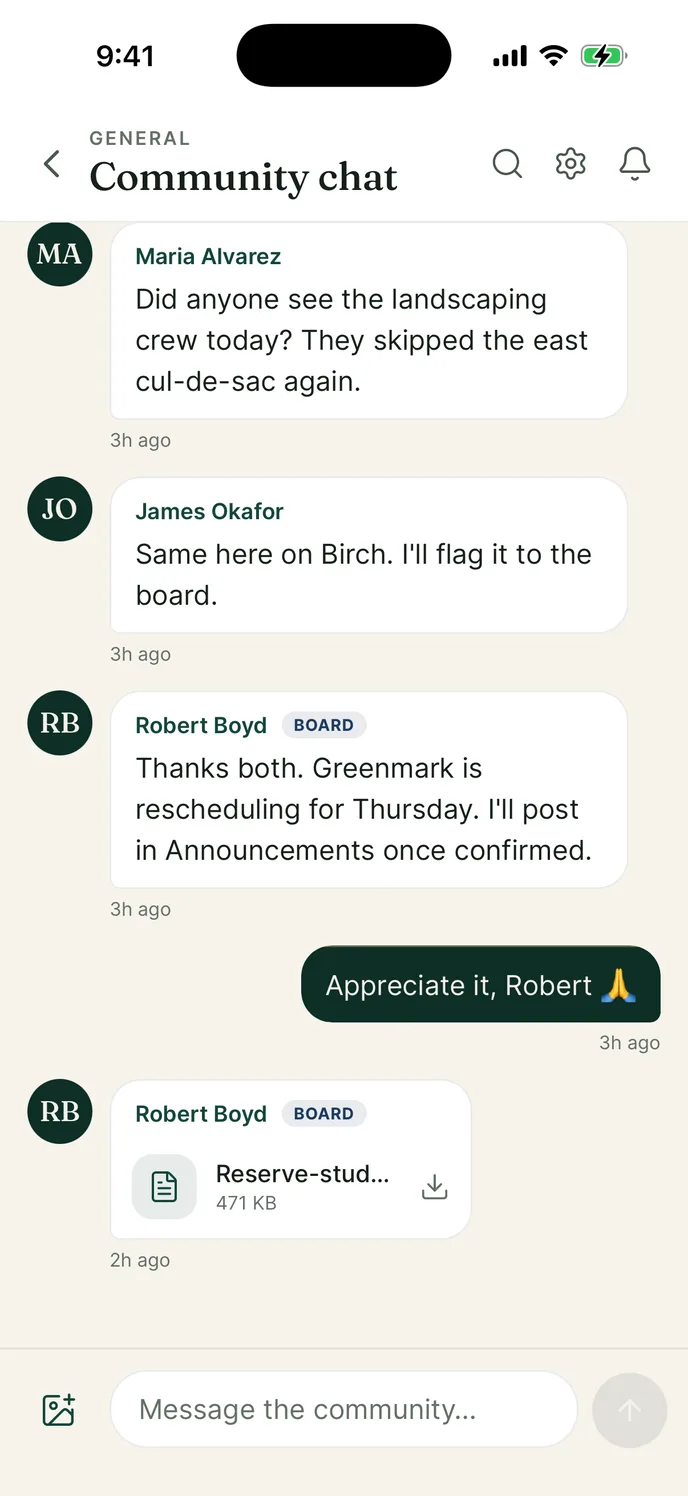
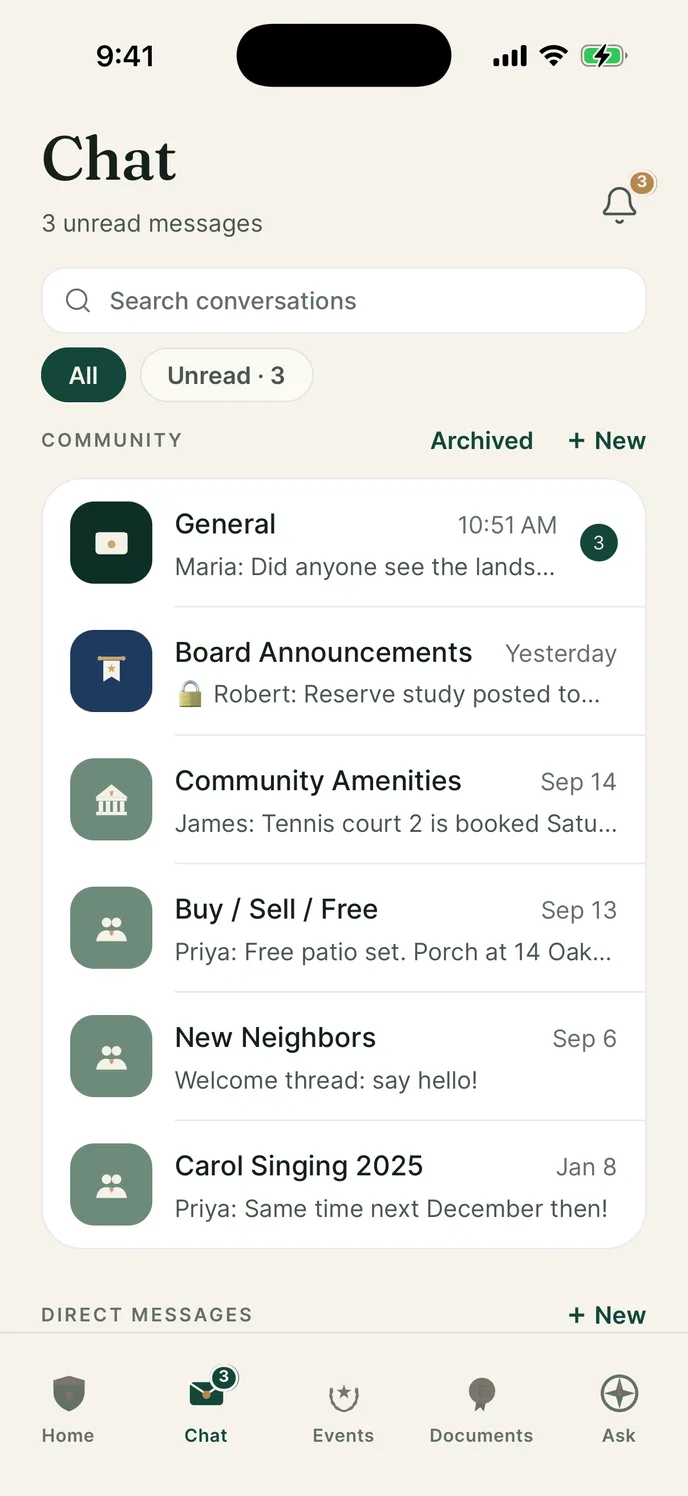
One thread the whole street is already in. Board members carry a BOARD badge, so an official answer never gets mistaken for a neighbor having an opinion.
Groups
Announcements, amenities, buying and selling, new neighbors: each one is its own group. Residents mute what they do not want and still hear from you.
groups in one community
Updates
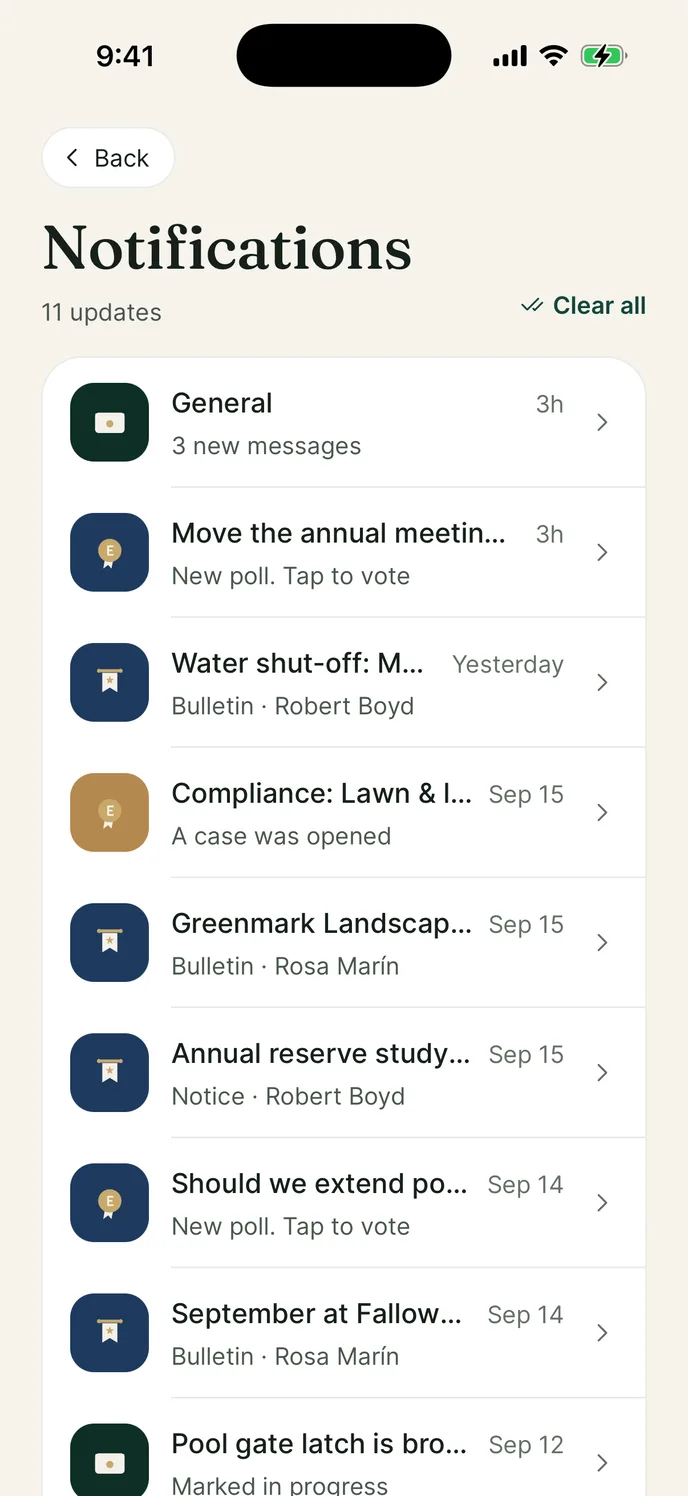
Polls, bulletins, a compliance case, a notice. They arrive in one list instead of four places, and a resident can get to the bottom of it.
updates in one list
Events
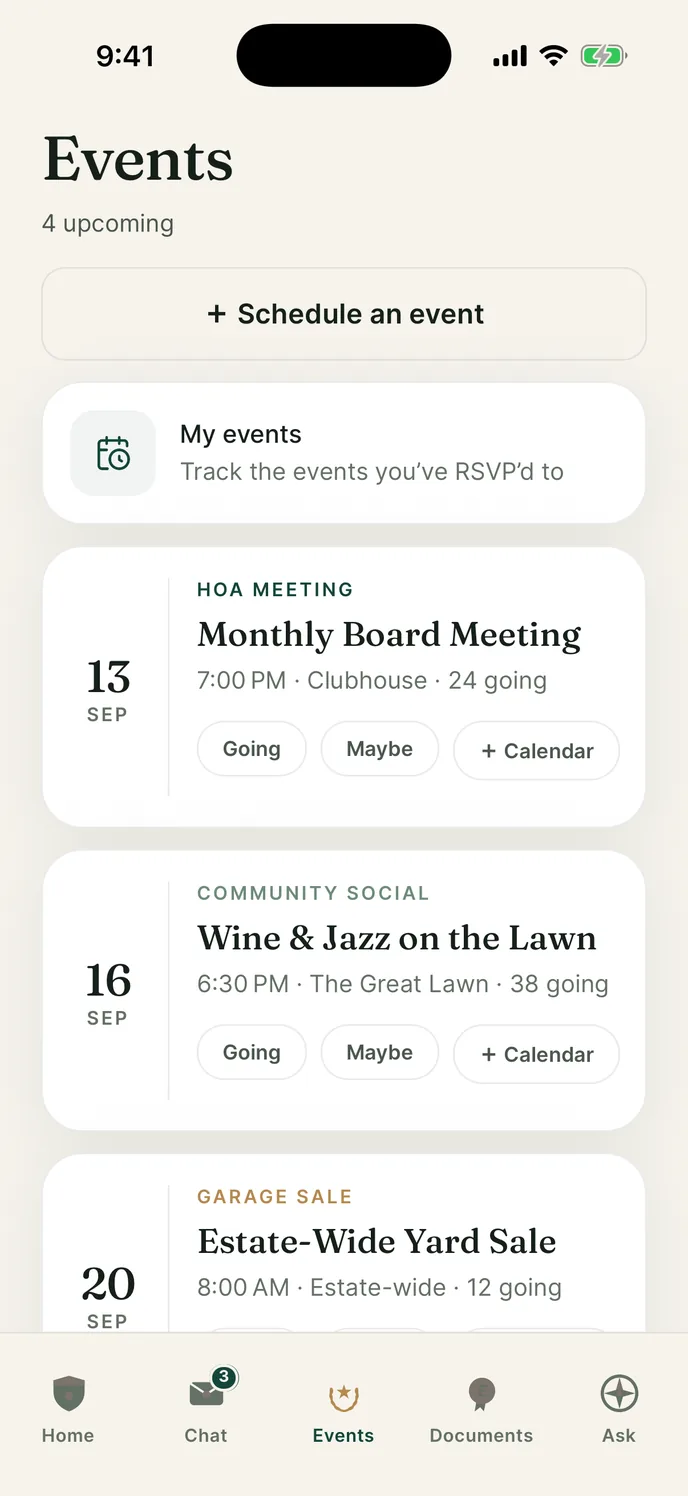
Post the meeting once and residents tap going. You order the right number of chairs and book the right room, days before anyone turns up.
going to the next board meeting
Minutes
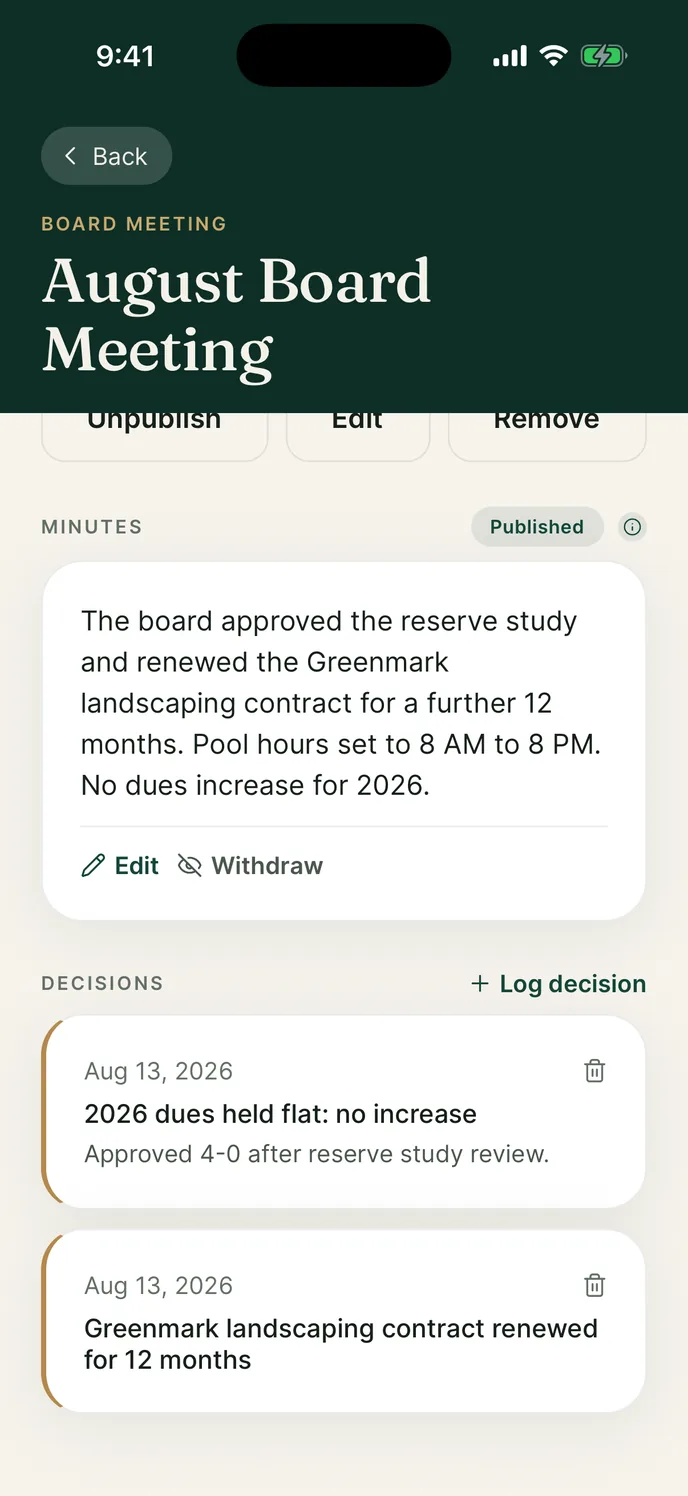
Write the minutes in the app and log each decision as it passes. Residents read what the board agreed, and the count it passed by, instead of a version of it from a neighbor.
the vote that held dues flat
Ask
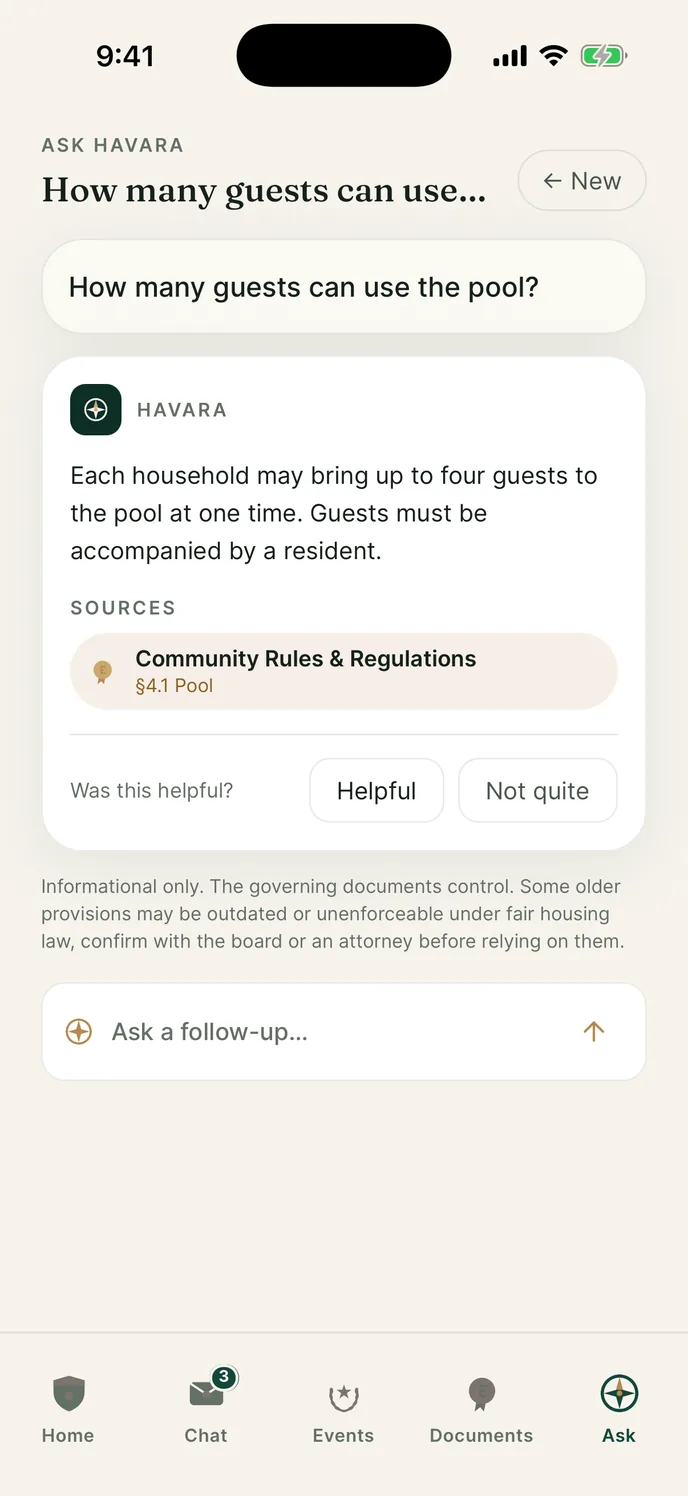
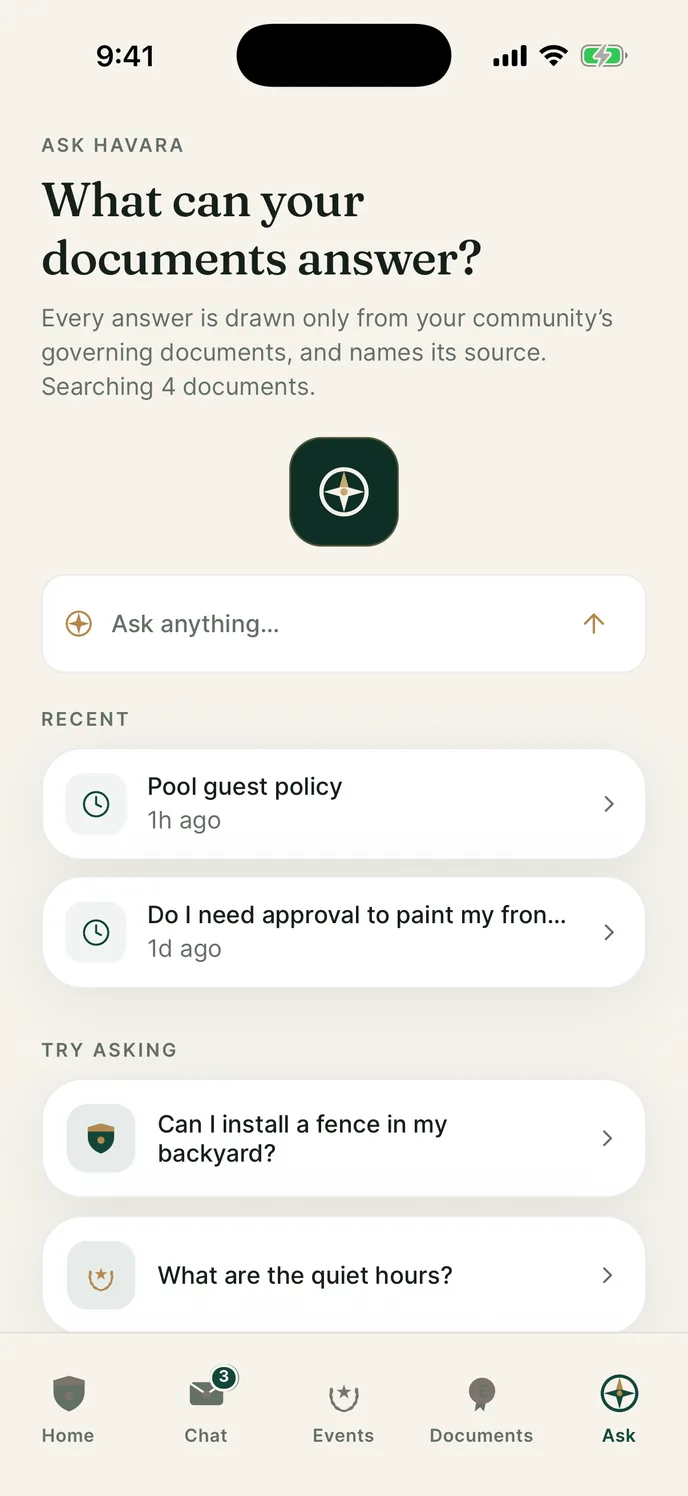
A resident types the question the way they would ask a person. Havara looks through your own governing documents instead of telling them to go and read a PDF.
documents searched
Answers
The answer names the document it came from, and one tap opens that file, so anyone can go and check it. Nobody has to take the board's word for it.
source document, named in the answer
Documents
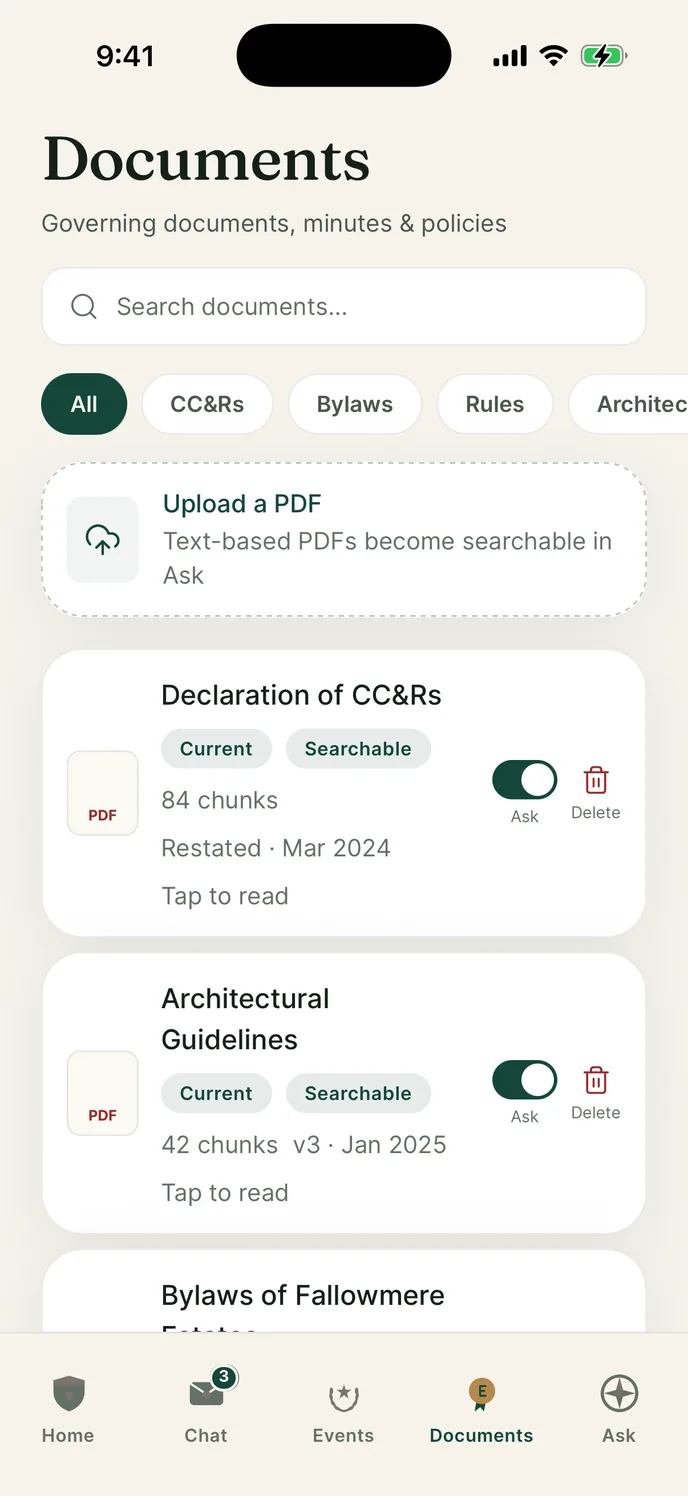
The declaration, the architectural guidelines and the rest of your governing documents, filed together. Board only files stay board only.
visibility levels, enforced by the database
Web console
Boards and managers run the community from a browser. Approve the neighbors waiting to join, post the notice, and see who has acknowledged it.
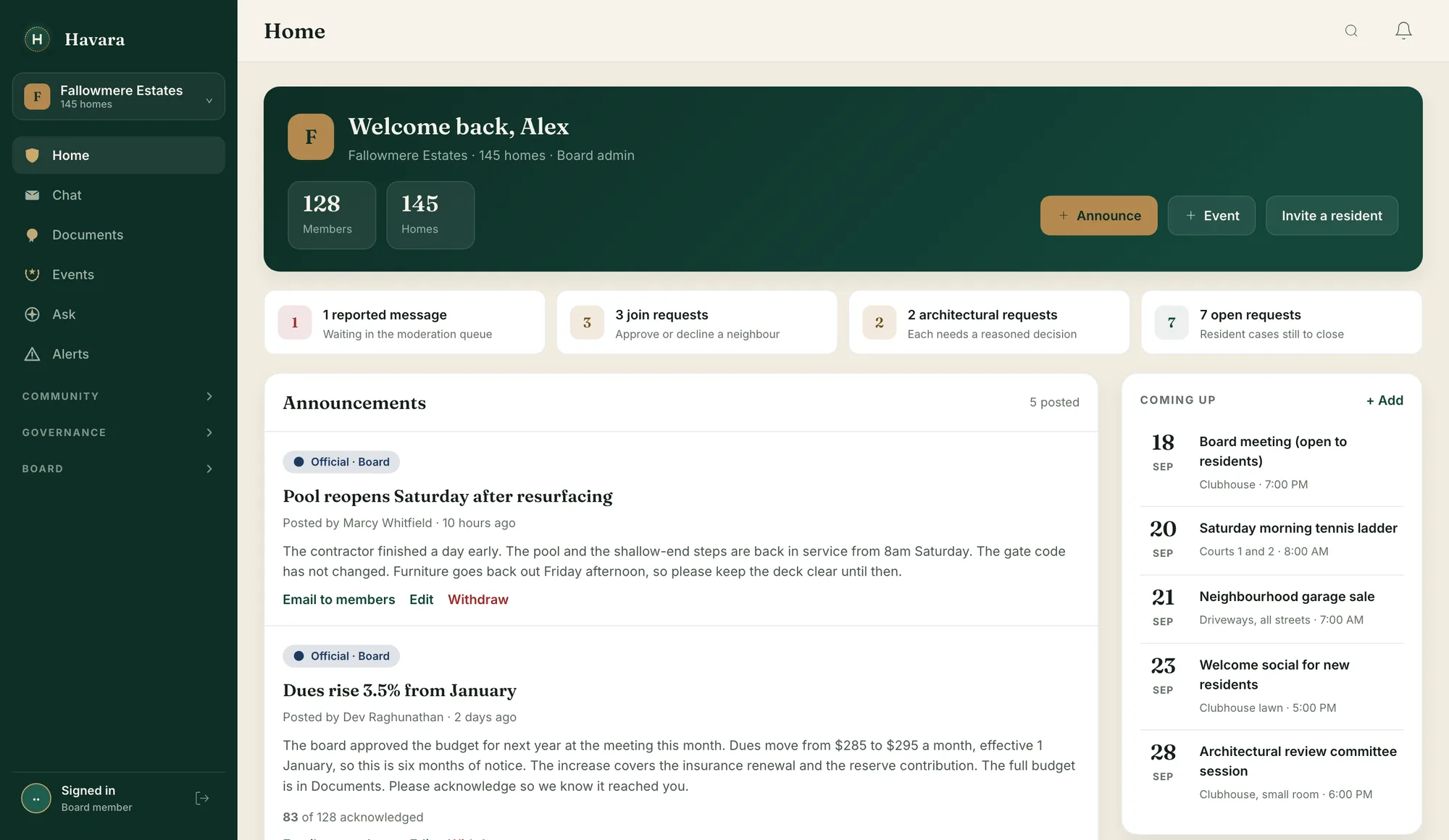
Scroll the console sideways to see the rest of it.
Getting started
Four steps, and you can do them in an afternoon.

A board member creates an account on the web console and starts the community from there. It stays private: joining it takes an invitation or an approved join request. There is no public listing and no anonymous door to push on.
Drop in your CC and Rs, bylaws and minutes. Ask goes live, naming the document behind each answer.
By email or by text. A notice can be sent to email in one more tap, for the neighbors who never open the app.
Every notice, decision and case tracked, with the receipts to prove it.
Price
Residents never pay. The board pays once for the community, on a band set by how many homes you have.
The whole community joins at no cost, and you are never billed per door.
Everything to run it on the record, for one annual price set by how many homes you have. No per-seat metering and no setup fee.
Cancel anytime. A lapsed community is frozen, never deleted, and one tap brings it back.

Security
A community is private, and the database enforces it rather than the app asking nicely.

Row-level security on every table. A member only ever sees their own community’s data, enforced by the database, not the app.
People join only by invitation or an approved join request. An account on its own shows you nothing.
Ask retrieves under your own login, so it can never surface a board-only document to a resident, even through the assistant.
Who it is for

Post notices, see who acknowledged them, manage members and moderate. All on a real web console.
Switch between the communities you hold a seat on, each with its own documents and its own audit trail.
The board passes a quote request to a vendor it trusts, and the answer comes back where the board asked.
One private app for announcements, documents, chat and events, by invitation.
Questions
A notice can be sent to email in one more tap, so a resident who installs nothing still gets it, and the board sees the send record for the ones it sends.
Every community is isolated by database-enforced row-level security. Joining one takes an invitation or an approved join request, and a member can delete their account and data from inside the app. No ad networks, no cross-site tracking, and we never sell your data.
Ask reads only your documents, only what a member’s role may see, and names the document it used. When it cannot find something it says so and points to the board. It is never presented as legal advice.
Residents are free, always. Boards pay once per community, not per door, on a band set by how many homes you have.
Download
Residents join by invitation or an approved join request. If your community is not on Havara yet, a board member can start it on the web console at app.havara.app.

Point an iPhone camera at the code. It opens the Havara listing on the App Store.
Havara is on the App Store today. The Android app is not released yet.
The app opens once your board has set your community up and sent you an invite.

Invitation gated
A board member starts the community on the web console and invites the residents. You do not need an invite code to start one: create an account, then choose to set up a new community instead of joining one.
Request access
On a board? Start your community on the web console at app.havara.app. You do not need an invite code to start one.
Homebuilders, developers, realtors and managers with more than one community start here, and so does anyone who would rather talk first. Tell us what you are working on and we will email you.
Already have an account? Sign in. Prefer email? Write to support@havara.app.